Viewing Show and Artist Details
Venues can view all the details about upcoming shows booked by GigFinesse — from the monthly calendar down to the run of show, artist profile, and ready-to-share promo posters.
The Calendar
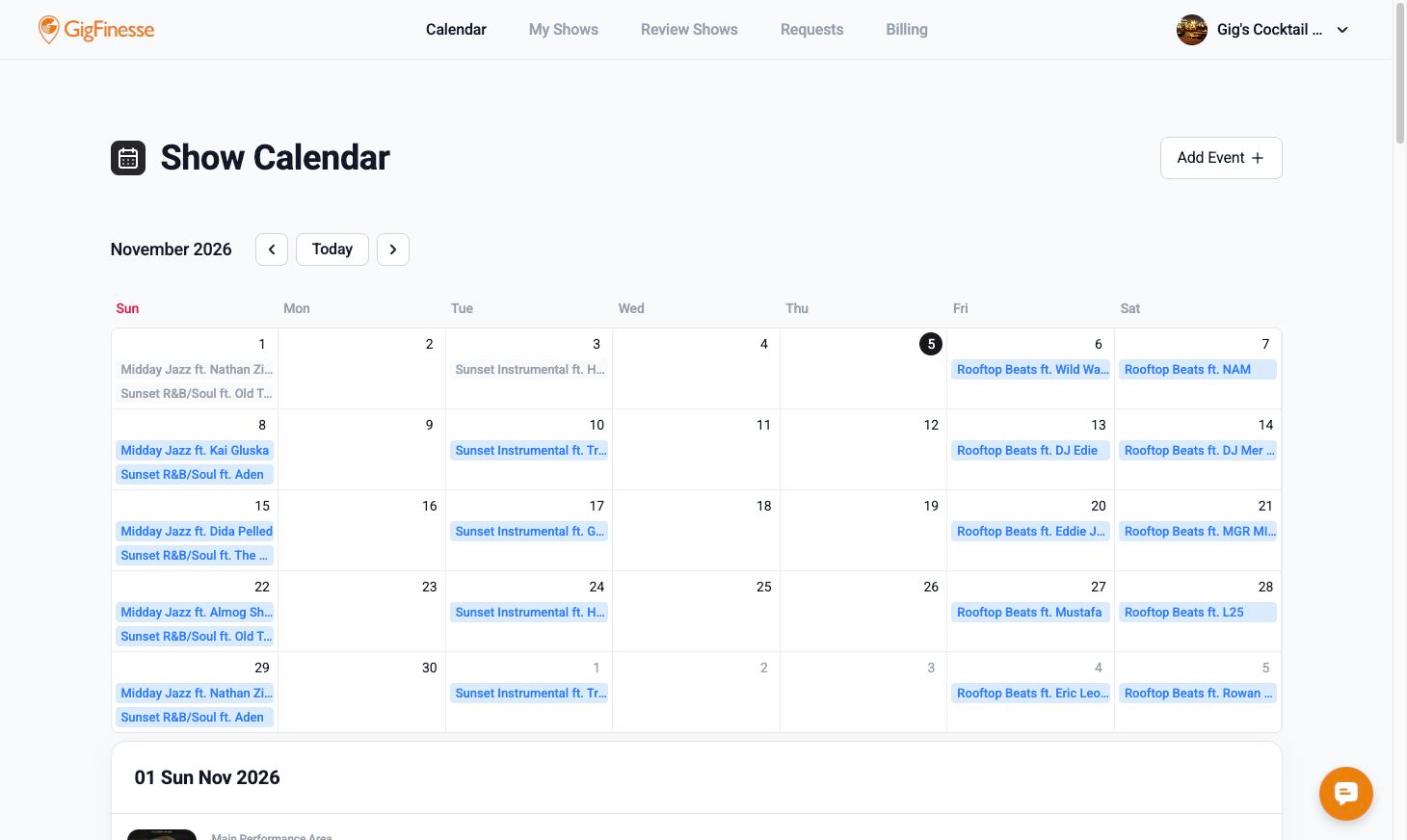
The Calendar is the hub of your GigFinesse account and the first page you see after logging in. It gives you a monthly view of every show booked at your venue.
Use the arrow buttons to move between months, or click Today to jump back to the current month. Each show appears as a label on its date; past shows are shown in gray and upcoming shows in blue.
Click a show on the calendar to see that day's lineup below the calendar, including the performance area, show name, and set time. Click View all shows in this month to see the full month as a list.
Show Details
Click a show in the daily lineup to open its Show Details page, which is organized into the following sections.
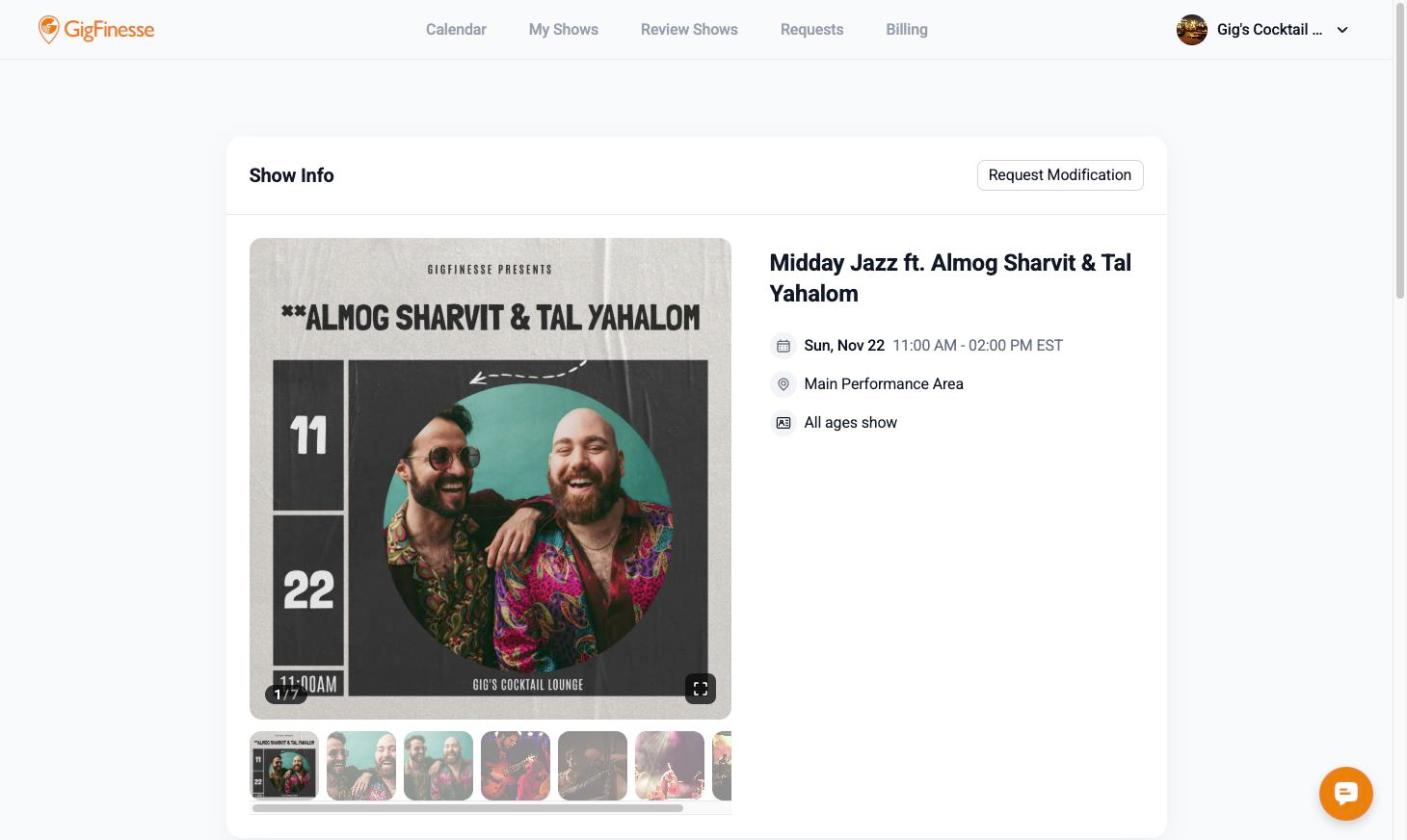
Show Info shows the show's photos and poster (click the expand icon to view full screen), the date and time with time zone, the performance area, and the age policy. If something about the show needs to change, click Request Modification in the top-right corner.
Run of Show lists the preparation times (such as load-in and doors) and the set times for each artist.
Artist Information lists the artist or artists performing. Click an artist's name to open their profile.
Posters lets you download promotional images for the show in four sizes: Instagram Post (1536x2048), Instagram Story (1080x1920), Facebook Post (1920x1005), and Square (2048x2048). Click the download icon next to the size you need, or click Change Poster Template to choose a different design.
Artist Profile
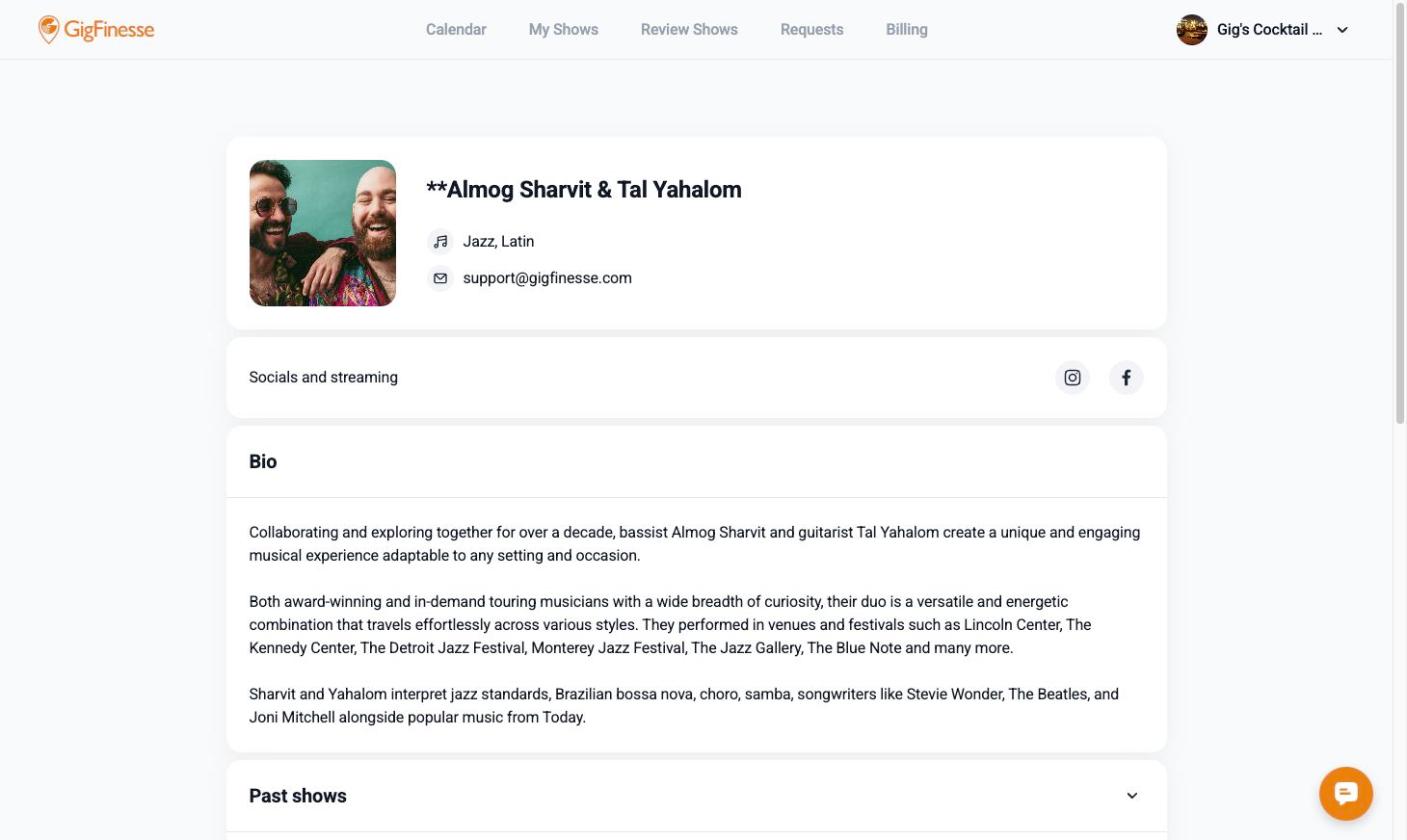
The artist profile is submitted directly by GigFinesse artists. It includes the artist's photo, genres, links to their social media and streaming platforms, a short bio, and their past shows with GigFinesse.
If you have any questions, click the chat icon in the bottom-right corner of any page or reach out to us at support@gigfinesse.com.